Verdict
The build is clean of third-party offers and needs no account. The free tier is real: manual scan and clean work without a licence.
Two caveats carry the risk. First, a cleaner edits the registry and startup list, so keep automatic backup on and clean with the Safe scan. Second, the free tier stops at manual work: the Speedup tab, scheduled cleaning and several automation switches ask for Pro.
What 8.0.7 actually changes
| Action | Scope | Undo path |
|---|---|---|
| Registry clean | invalid COM and ActiveX entries, extension records, shared DLL references, stale uninstall keys | automatic .reg backup, then Menu, Restore, Registry Restore |
| Common and advanced clean | temp files, caches, history, cookies, saved passwords, traces | recreated by Windows or re-entered; secure deletion cannot be undone |
| Startup Manager | disables autostart programs, tasks and services | re-enable the same entry in the Startup tab |
| System Slimming | Windows Update leftovers, component backups, sample media, optional help and IME files | restore point created before slimming by default |
| Privacy Protector | traces, free space wipe, file shredding | none after the pass; shredding is permanent |
| Disk and registry defrag | layout only, no file removal | not needed |
Saved passwords are the item people miss. Common Cleaner can clear browser-stored passwords, so export or sync them first if the browser is your only copy.
Three settings that decide the blast radius
1. Keep automatic registry backup on
Menu, Settings, Cleaner: Auto registry backup when cleaning is selected by default. Leave it. Deleting the backup folder removes the only one-click rollback.
2. Use the Safe scan, not Deep
The same page offers Default, Safe and Deep scans. Default is fine; Deep is where false positives appear. The scan result can be filtered with Safe entries only before anything is removed.
3. Watch the custom-folder cleaner
Custom folder to empty deletes every file in the folders you list during Advanced Cleaner, not just junk. It does not send them to the Recycle Bin. Add one folder at a time.
What runs in the background
Start at Windows bootup is selected by default and starts a tray program. Run Boot Booster when the computer starts times the boot and names the slowest item. Run Wise Turbo automatically checks junk and traces twice a day and pops a notice when thresholds are crossed.
All three are switches under Settings, General. On a managed or low-spec machine, keep the tray and turn Turbo off.
Telemetry and licence
The free build contacts WiseCleaner for version checks, the module list and licence activation. No account is created for the free tier; a Pro key is checked online. The privacy statement covers website and support data but does not enumerate client endpoints, so treat the network side as “publisher only”, not “offline”.
A Pro banner appears after the first scan; it is a link, not an auto-install. Uninstall leaves registry backups behind; export them first.
Five checks before the first run
- Bytes.
(Get-Item .\WiseCare365_8.0.7.exe).Lengthmust return10621648. - SHA-256.
certutil -hashfile .\WiseCare365_8.0.7.exe SHA256must return1602e6254fb999305c5fa1c3dd1c837cb28a1e87f993d4c98bfbda39adef4656. Compare all 64 characters. - Signature state.
Get-AuthenticodeSignature .\WiseCare365_8.0.7.exeshould reportHashMismatchwith a Microsoft Windows certificate. That is expected on this package, not a failure; step 2 is the control. - Hash reputation. Look the digest up on VirusTotal, not the file name.
- Resource block. Company must read
WiseCleaner Technology Co., Ltd.; the file description saysWise Disk Cleanerand product version12.0.1while the app reports 8.0.7. Those two mismatches are normal.
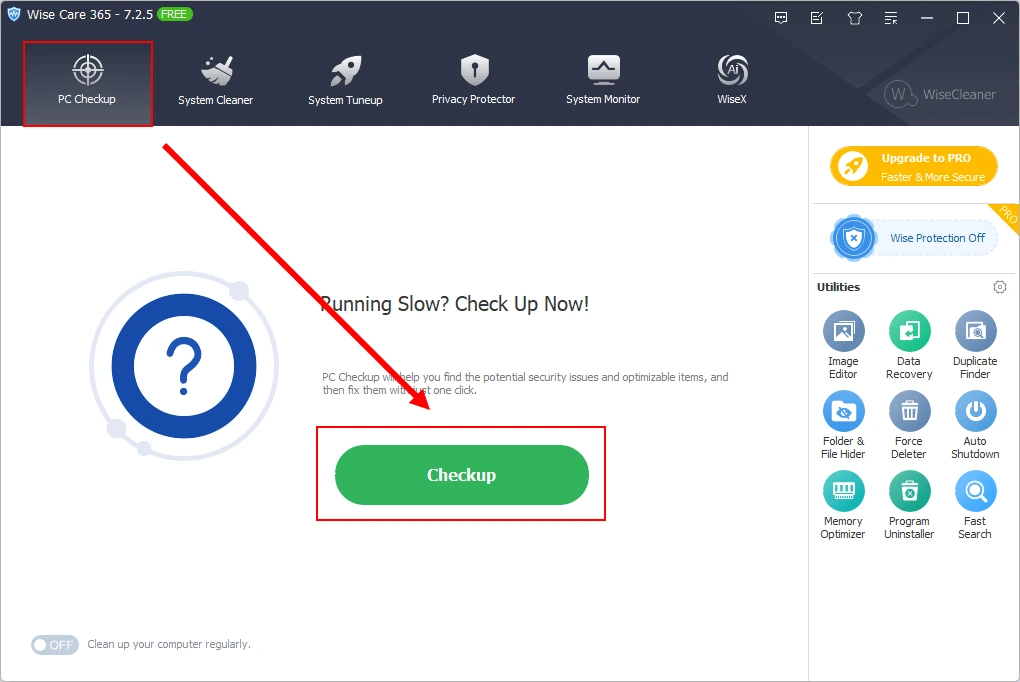
On first launch, confirm registry backup and scan mode before PC Checkup, then review the list before cleaning.
Signature state and the free-tier boundary
The package carries a Microsoft Windows Production PCA 2023 signature with a hash mismatch, which happens when a signed stub wraps a payload built later. Windows shows the publisher as Microsoft, not WiseCleaner, and SmartScreen may stay quiet because of that chain. Neither fact proves the payload; the SHA-256 does.
The free build stops at manual work: scan, registry clean, common clean and slimming run without a key; Speedup and scheduling do not.
Questions people actually ask
Does the registry cleaner back up what it deletes?
Yes, by default. Keys are exported before cleaning and listed under Menu, Restore, Registry Restore. Do not turn the option off; it is the undo path.
Which parts need the Pro licence?
The Speedup tab, scheduled cleaning and several switches.
Does System Slimming remove my restore points?
No. It creates a restore point before slimming, then removes update leftovers.
Does it install a service or driver?
No driver step. It adds a boot tray program, a Boot Booster timer and a twice-daily Turbo scan; all three are switches in Settings, General.
Is the signature mismatch a virus sign?
No. The signature was applied before the final package was built. Compare the published SHA-256 instead.
Sources
- WiseCleaner: Wise Care 365 product page
- Manual: Registry Cleaner and backup
- Manual: Settings and scan modes
- Manual: System Slimming and restore point
- WiseCleaner privacy statement
- Microsoft: Restore points
- VirusTotal: this hash